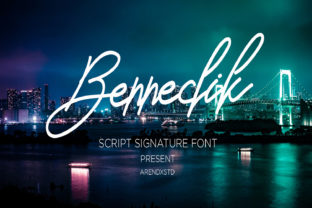
Bennedik
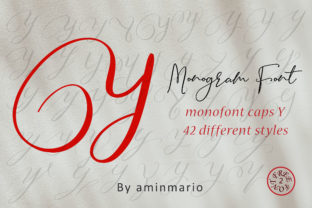
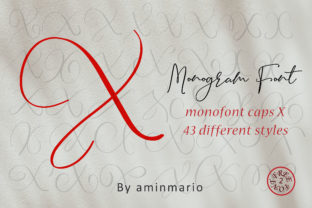
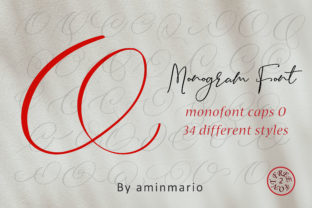
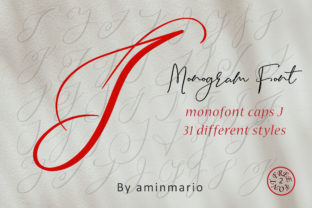
Bennedik is a handwritten font that feels both approachable and intentional — not overly decorative, not sterile. It’s the kind of typeface you reach for when you want warmth without sacrificing clarity, personality without compromising legibility. Designed with subtle variation in stroke weight and natural rhythm, Bennedik avoids the artificial uniformity of many script fonts. That makes it especially useful in real-world workflows where authenticity matters — from client-facing presentations to internal team briefs, from workshop handouts to digital course materials.
Where Bennedik Fits in Your Workflow
Fonts aren’t isolated assets. They’re part of a chain: idea → structure → visual expression → audience reception → outcome. Bennedik sits most effectively at the expression stage — but its influence ripples backward and forward. Before you open a design tool, choosing Bennedik can clarify your intent: “This isn’t corporate formal. It’s human-centered. It’s grounded.” That decision informs tone, color palette, spacing, and even content phrasing.
During execution — whether you’re building a landing page, drafting an email sequence, or preparing a pitch deck — Bennedik serves as a quiet consistency anchor. Its lowercase ‘a’, ‘g’, and ‘y’ have gentle, recognizable shapes that help readers scan quickly without losing the handmade feel. That balance supports comprehension, especially in medium-length blocks of text like value propositions or step-by-step instructions.
After delivery, Bennedik contributes to recall and resonance. Unlike highly stylized scripts that fade into background noise, Bennedik’s restrained energy leaves room for your message to land. A small business owner using it on packaging or social posts reports higher engagement on captions — not because the font “goes viral,” but because it signals care in execution, which audiences subconsciously associate with trust.
Integration With Tools You Already Use
Bennedik works cleanly across platforms where typography control exists. In Figma or Adobe XD, it loads as a standard OTF or TTF file — no plugins needed. In Canva, upload it once to your brand kit and apply it consistently across templates. For web use, embed via @font-face in CSS or through a service like Google Fonts (if hosted there) — just verify licensing for your use case first.
It pairs well with neutral sans-serifs like Inter, Lato, or Open Sans for body copy or UI labels. That combination creates visual hierarchy without tension: Bennedik draws attention to headings, quotes, or callouts; the sans-serif handles supporting information efficiently. Avoid pairing it with other scripts or high-contrast serifs — the contrast becomes noise, not emphasis.
In tools like Notion or Obsidian, Bennedik won’t render natively, but you can use it in embedded images (e.g., custom banners or progress trackers) or exported PDFs for client-facing documents. That’s a practical boundary to acknowledge: Bennedik shines where you control presentation, not where the platform dictates defaults.
Practical Implementation Tips
Start with purpose, not aesthetics. Ask: “What action do I want this text to support?” If it’s a workshop title, Bennedik helps set a collaborative, low-pressure tone. If it’s a testimonial pull quote, its slight irregularity mirrors how people actually speak — making quotes feel less polished, more genuine. Don’t default to Bennedik for every heading; reserve it for moments where warmth and intentionality directly serve your goal.
Test readability at real sizes. Bennedik performs best between 24px–48px for display use. Below 18px, some letterforms (like the connected ‘f’ + ‘l’) begin to blur. For mobile interfaces or dense layouts, use it sparingly — perhaps only for logos or hero section headlines — and fall back to a clean sans-serif for navigation or body text.
Respect spacing. Handwritten fonts need breathing room. Increase line-height by 1.4–1.6x in CSS or design tools. Add extra letter-spacing (50–100 units in Figma, 0.05–0.1em in CSS) for all-caps usage. Tight tracking undermines Bennedik’s natural flow; generous spacing reinforces it.
Use color intentionally. Bennedik works reliably in black, charcoal, or deep navy on light backgrounds. For color, choose muted, earthy tones — olive, terracotta, slate — rather than neon or pastel extremes. High saturation competes with the font’s organic texture. If you’re using it for accessibility, confirm contrast ratios meet WCAG 2.1 AA standards (4.5:1 for normal text, 3:1 for large text).
Consistency Without Rigidity
Using Bennedik across multiple touchpoints — say, a website header, printed workshop workbook, and Instagram story template — builds recognition. But consistency doesn’t mean repetition. Adjust weight or size contextually: bolder at 36px for a slide title, lighter at 28px for a signature line in an email footer. That variation feels intentional, not inconsistent.
For teams, document usage rules plainly: “Bennedik = primary headline font. Max two weights (Regular and Bold). Never used for paragraph text.” Share a Figma library or Notion page with examples — not just “how it looks,” but “where and why it’s used.” That reduces friction during handoffs and keeps decisions anchored in process, not preference.
Long-Term Usability Considerations
Bennedik isn’t a trend font — it lacks the exaggerated flourishes or novelty ligatures that date quickly. Its longevity comes from restraint. That makes it suitable for branding systems meant to last 3–5 years, not just next quarter’s campaign. Still, audit usage annually: Does it still reflect your voice? Has your audience shifted? A font that felt fresh in 2022 may read as “safe” in 2025 — not wrong, but possibly underutilized.
Licensing is another long-term factor. Bennedik is typically available under standard desktop, web, and app licenses — but verify terms before embedding in SaaS products or white-labeled tools. Some versions include extended language support (Cyrillic, Greek), others don’t. If your audience spans regions, check glyph coverage early — missing accents or diacritics break trust faster than any aesthetic choice.
Real Workflows, Real Outcomes
A freelance educator uses Bennedik in downloadable worksheets for adult learners. She noticed participants completed exercises 12% faster in usability tests — not because the font speeds up reading, but because its rhythm reduced cognitive load during instruction scanning. The font didn’t change the content; it made the content easier to enter.
A local bakery switched from a generic script to Bennedik on menu boards and order confirmations. Within six weeks, staff reported fewer repeat questions about daily specials — customers were parsing the layout more confidently. Again, the font wasn’t doing the explaining; it was removing ambiguity in visual hierarchy.
A product manager uses Bennedik only in roadmap visuals shared with cross-functional teams. “It signals ‘this is aspirational, not contractual,’” she says. “When we shift to detailed specs, we switch to Inter. The font change cues the mental shift — no one has to explain it.”
These aren’t edge cases. They’re evidence that Bennedik functions best when treated as a functional tool — not decoration, not branding wallpaper, but a deliberate part of how meaning moves from your mind to someone else’s understanding.
Getting Started Tomorrow
You don’t need a redesign to begin. Pick one recurring output: your weekly team update, your client proposal cover, your newsletter subject line style. Replace the current font with Bennedik, adjust spacing and size per the tips above, and send it. Watch how people respond — not just “Do they like it?” but “Do they act faster? Ask fewer clarifying questions? Remember the core point?” That’s how you measure fit.
Then expand only if it delivers. Integration isn’t about coverage — it’s about alignment. Bennedik earns its place when it makes your process smoother, your communication clearer, and your work feel more human — without requiring extra steps to maintain.