Wixtar: A Whimsical Handwritten Font
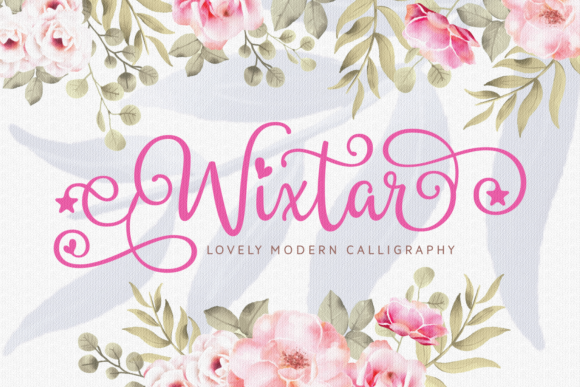
Wixtar is a beautifully crafted handwritten font designed to bring warmth, personality, and a touch of magic to your creative work. It’s not just another script—it’s expressive, fluid, and full of life, with elegant swashes that dance across the page. Whether you’re designing a greeting card, branding a small business, or adding charm to a classroom poster, Wixtar helps your words feel human, intentional, and memorable.
What Makes Wixtar Stand Out?
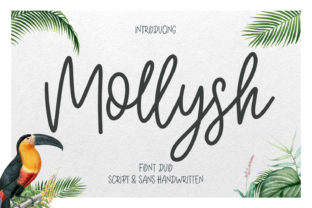
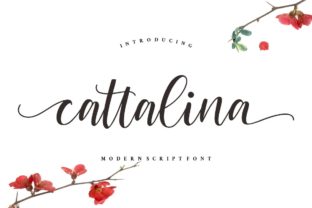
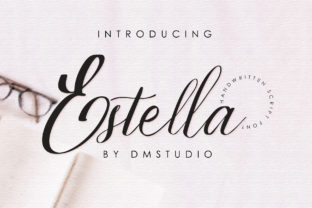
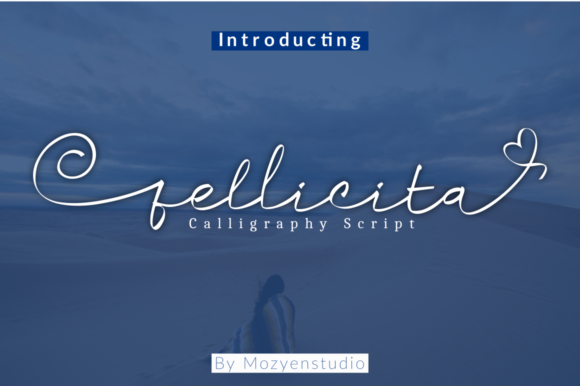
At its core, Wixtar is a display font—meant for headlines, titles, logos, and short bursts of text where impact matters most. Its letters mimic natural handwriting, with subtle variations in stroke weight and rhythm that avoid the robotic uniformity of many digital fonts. The swashes—those graceful, extended flourishes on letters like g, y, l, and f—aren’t just decorative; they guide the eye, add movement, and reinforce a sense of playfulness and artistry.
Unlike some handwritten fonts that lean overly casual or childish, Wixtar strikes a balanced tone: sophisticated enough for a boutique brand, joyful enough for a birthday invitation, and versatile enough for educators making learning materials more inviting. It’s also carefully spaced and kerned, so it reads clearly—even at smaller sizes—without sacrificing its organic feel.
Who Benefits Most From Using Wixtar?
If you’ve ever spent time tweaking a design to feel “just right”—less stiff, more heartfelt—you’ll appreciate what Wixtar offers. Beginners love it because it requires no calligraphy skills to achieve beautiful results. Just type, adjust size and color, and let the built-in swashes do the rest. Professionals reach for it when they want to inject authenticity into digital or print projects without overcomplicating the process.
Small business owners use Wixtar for shop signage, product labels, and social media graphics—especially in niches like handmade goods, wellness, children’s products, or wedding services, where warmth and individuality matter. Educators find it perfect for bulletin boards, certificates, and handouts that encourage engagement. Bloggers and marketers choose it for featured quotes, email headers, or Pinterest pins where visual appeal boosts clicks and shares.
Real-Life Ways to Use Wixtar
Here are practical, everyday examples—no design degree required:
- Invitations & Stationery: Pair Wixtar with a clean sans-serif (like Montserrat or Lato) for contrast—use it for names and event details on baby showers, weddings, or holiday cards.
- Social Media Graphics: Create Instagram story highlights or Facebook cover images with short phrases (“You’re amazing,” “New collection live!”) in Wixtar—it instantly lifts the mood and draws attention.
- Print-on-Demand Products: Apply Wixtar to mugs, tote bags, or wall art using platforms like Canva or Adobe Express. Its whimsical energy translates well to physical items people love to gift or display.
- Educational Materials: Teachers use it for classroom rules posters, reading reward charts, or vocabulary flashcards—making learning feel friendly and approachable.
- Branding Touches: Even if your main logo uses a different font, try Wixtar for taglines, website banners, or packaging accents to soften your brand voice and build emotional connection.
Things to Keep in Mind Before You Start
Like any tool, Wixtar shines brightest when used thoughtfully—not everywhere, but where it adds value. Here’s what to consider:
- Legibility matters: Avoid long paragraphs or body text. Wixtar works best for short phrases—three to seven words is ideal. For longer content, pair it with a highly readable companion font.
- Swash control: Some versions include alternate characters or OpenType features (like initial and terminal swashes). Check your software—design tools like Canva, Illustrator, or Affinity Designer often let you toggle these on or off for cleaner layouts.
- Licensing: Make sure your license covers your intended use—personal projects usually require a different plan than commercial ones (e.g., selling merchandise or client work). Always verify before downloading or purchasing.
- Color and background: Wixtar’s delicate lines pop against light backgrounds but can get lost on busy textures or dark gradients. Try soft pastels, creamy whites, or muted tones for maximum charm.
- Consistency counts: If you're building a brand identity, limit Wixtar to one or two key applications—like headlines and signatures—so it remains distinctive rather than overwhelming.
Getting Started Is Simple
You don’t need fancy software to begin. Many users start with free or low-cost tools like Canva, where Wixtar is available as an uploadable font or through integrated font libraries. Others use Google Fonts (if hosted there), Adobe Creative Cloud, or even PowerPoint for quick slides or flyers.
Begin with something small: redesign a favorite quote, update your Etsy shop banner, or make a custom thank-you note for a friend. Notice how the swashes change the energy of the phrase—not just how it looks, but how it feels. That’s Wixtar’s quiet strength: it doesn’t shout. It invites.
Why This Font Fits So Many Lives
Today’s creators—whether running a side hustle from their kitchen table or managing a team of designers—value tools that save time *and* spark joy. Wixtar does both. It reduces the pressure to “draw perfectly” while delivering professional-looking results fast. It supports goals like standing out in a crowded feed, making learning more engaging, or helping customers feel seen—not just sold to.
And because it’s rooted in handwriting, Wixtar subtly reminds us of human connection. In a world of algorithms and automation, choosing a font like this is a small but meaningful way to say: This was made with care. This was made for you.
A Final Thought
Fonts aren’t neutral. They carry tone, culture, and intention. Wixtar brings lightness without sacrificing elegance, creativity without chaos, and personality without pretense. It won’t solve every design challenge—but for the right moment, the right message, or the right person, it might be exactly what makes something feel complete.