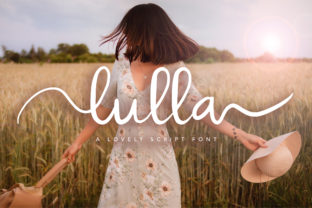
Lulla: Where Handwritten Warmth Meets Digital Precision
Typography is rarely neutral—it carries tone, intention, and emotional resonance before a single word is read. Among the growing library of script fonts designed for digital environments, Lulla stands apart not through technical complexity or stylistic exaggeration, but through quiet confidence in its own character. It’s a handwritten font—yes—but one that avoids the pitfalls of over-ornamentation, inconsistent rhythm, or forced quirkiness. Instead, Lulla offers a balanced, romantic script grounded in legibility, warmth, and subtle sophistication. Its appeal spans far beyond wedding invitations or boutique logos; it serves as a thoughtful typographic choice for educators crafting empathetic learning materials, researchers presenting human-centered findings, small business owners building authentic brands, and developers embedding expressive UI elements into otherwise functional interfaces.
The Quiet Discipline Behind Lulla’s Charm
What makes Lulla feel “adorkable”—a blend of adorable and deeply intentional—is its restrained execution. Unlike many script fonts that rely on dramatic swashes, exaggerated terminals, or unpredictable letter connections, Lulla maintains consistent x-heights, gentle baseline variation, and carefully calibrated spacing. Each glyph flows with organic continuity, yet never sacrifices clarity—even at smaller sizes or on lower-resolution screens. The romantic twist isn’t signaled by flourishes alone; it emerges from the softness of stroke endings, the slight tilt of ascenders, and the harmonious weight distribution across uppercase and lowercase forms. This balance allows Lulla to function equally well in short bursts (like a headline or button label) and longer passages (such as a heartfelt email signature or a narrative-driven landing page section).
Consider how Lulla handles common typographic challenges: the lowercase “a” and “g” avoid overly closed or ambiguous shapes; the “t” and “f” feature modest crossbars—not too low, not too high—ensuring readability without sacrificing elegance; and the ampersand (&) is crafted with a gentle loop rather than an aggressive flourish, reinforcing cohesion over decoration. These are not arbitrary decisions—they reflect deep attention to typographic hierarchy, optical alignment, and cross-platform rendering behavior.
Real-World Applications Across Diverse Roles
Because Lulla bridges expressiveness and usability, its utility extends across professions where voice matters as much as information:
- Educators use Lulla in welcome letters, classroom posters, and digital handouts to soften formal academic language—making instructions feel inviting rather than directive. A science teacher might set learning objectives in Lulla alongside clean sans-serif body text, signaling care without compromising structure.
- Small business owners, especially those in wellness, artisan goods, or personalized services, apply Lulla to packaging labels, social bios, and email headers. One ceramicist uses Lulla for her product tags (“Hand-thrown in Portland • Since 2021”)—immediately conveying craft, care, and continuity.
- UX designers and developers integrate Lulla selectively—never for full UI text, but for micro-interactions like success messages (“You’re all set! ✨”), testimonial quotes, or onboarding steps. Its presence signals a moment of pause, humanity, or celebration within an otherwise task-oriented flow.
- Researchers and nonprofit communicators deploy Lulla in report covers or storytelling sections where data meets lived experience. A climate resilience study used Lulla for participant quote callouts—“We didn’t wait for permission to rebuild”—creating visual breathing room between dense charts and personal narratives.
- Hobbyists and creators find Lulla especially effective in print-on-demand projects: greeting cards, journal covers, embroidery patterns, and even vinyl decals. Its adaptability across mediums means the same design translates cleanly from screen to paper to fabric without requiring manual redrawing.
When—and When Not—to Choose Lulla
Selecting a script font involves more than aesthetic preference; it’s a functional decision rooted in context, audience, and medium. Lulla excels in situations where authenticity, approachability, and gentle emphasis are priorities—but it’s not universally appropriate. Use it when:
- You’re designing for emotional resonance over speed-scan efficiency (e.g., brand storytelling, personal correspondence, artistic portfolios).
- Your audience values craftsmanship, intimacy, or warmth—think therapy practices, independent bookstores, botanical studios, or family-run bakeries.
- You need contrast without conflict—pairing Lulla with neutral sans-serifs (like Inter, Lato, or even system fonts) creates visual hierarchy without clashing tones.
- You’re working at display sizes (18px and up) or in controlled environments (PDFs, high-DPI print, SVG exports) where hinting and rendering are predictable.
Avoid Lulla when:
- Legibility under time pressure is essential—such as navigation menus, error messages, or legal disclaimers.
- Your platform lacks robust font-loading strategies (e.g., older CMS themes or email clients with limited webfont support). While Lulla includes WOFF2 variants, fallback behavior must be planned.
- You’re aiming for bold authority or technological precision—Lulla whispers, it doesn’t declare. For fintech dashboards or engineering documentation, it would undermine credibility.
- Consistency across multilingual content is required. Though Lulla supports Latin-based languages (including accented characters for French, Spanish, German), it does not include Cyrillic, Greek, or extended Asian character sets.
Technical Considerations for Seamless Integration
Adopting Lulla goes beyond copying a font file—it requires thoughtful implementation. First, licensing: Lulla is available under both commercial and open-source licenses, depending on the version and source. Always verify usage rights, especially for SaaS platforms or embedded applications where fonts may be served dynamically to end users.
Performance matters. A well-optimized Lulla subset—containing only the characters needed for your project (e.g., omitting discretionary ligatures or alternate glyphs)—can reduce file size by up to 40%. Tools like Google Webfonts Helper or manual subsetting via Font Squirrel’s generator make this practical even for non-developers.
Cross-browser rendering also warrants attention. While modern browsers handle Lulla smoothly, legacy versions of Internet Explorer may require fallback stacks or image-based alternatives for critical headlines. Likewise, ensure line-height and letter-spacing values are tested—not assumed. Lulla’s natural rhythm benefits from slightly increased line-height (1.4–1.6) and modest tracking (0–20 units) in longer text blocks to prevent visual crowding.
Pairing Lulla Thoughtfully
Successful typography hinges on harmony, not isolation. Lulla pairs most effectively with typefaces that offer structural contrast without competing energy. Neutral sans-serifs work best—not just for their ubiquity, but because their geometric calm lets Lulla’s personality shine. Try:
- Inter for UI contexts—its open counters and generous spacing create breathing room around Lulla’s delicate forms.
- Source Serif Pro for long-form editorial use—its gentle serifs echo Lulla’s romantic undertones without mimicking them.
- IBM Plex Sans in professional documents—its rational proportions ground Lulla’s expressiveness in credibility.
Avoid pairing Lulla with other scripts, highly decorative fonts, or ultra-thin/ultra-bold companions—these create visual tension rather than balance. And resist the urge to italicize Lulla itself: it’s already inherently inclined and rhythmic; artificial slanting distorts its natural flow.
Why Lulla Endures Beyond Trend Cycles
In an era saturated with algorithmically generated fonts and AI-assisted design tools, Lulla’s staying power lies in its human origin story. It wasn’t trained on datasets—it was drawn, refined, and tested by hand. That origin shows in its imperfections: slight asymmetries in curve tension, nuanced stroke modulation, and a sense of breath in its spacing. These aren’t flaws—they’re cues that signal authenticity to viewers, triggering subconscious trust responses.
This aligns directly with evolving SEO and content standards. Google’s Helpful Content Update increasingly rewards pages that demonstrate Experience, Expertise, Authoritativeness, and Trustworthiness (E-E-A-T). Typography contributes to that perception. A site using Lulla in purposeful, consistent ways—say, for founder bios, mission statements, or community spotlights—subtly communicates intentionality and care. It suggests the people behind the content took time to consider how readers *feel*, not just what they read.
Moreover, Lulla reflects broader cultural shifts toward human-centered design—not as a buzzword, but as practice. As automation expands, audiences gravitate toward signals of genuine human input. Lulla doesn’t shout “handmade!”—it embodies it quietly, respectfully, and consistently.
Getting Started Without Overcomplication
You don’t need a design degree or expensive software to begin using Lulla meaningfully. Start small:
- Download the official Lulla package from a trusted source (check GitHub repositories or verified foundry sites).
- Install it locally and test in your preferred editor—try writing a short personal note or reformatting a newsletter subject line.
- Export one element—a testimonial block, a logo lockup, or a social media banner—and compare how it feels next to your current default font.
- Observe real reactions: Do colleagues pause? Does your audience engage more with messages set in Lulla? Note patterns—not just preferences.
Iterate deliberately. Typography isn’t about swapping fonts—it’s about refining communication. Lulla invites that refinement with humility, warmth, and quiet precision.