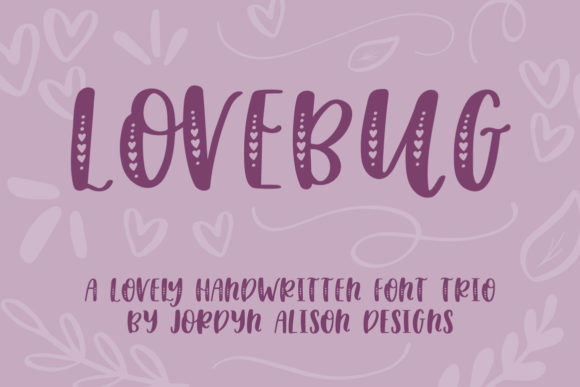
Lovebug: A Playful Handwritten Font Trio for Romantic Design
Practical Applications Across Design Disciplines
- Branding & Logo Design: Use the solid version for primary logotype or subheadings; layer the hearts font subtly behind initials or as decorative accents in wordmarks.
- Social Media Graphics: Pair the symbols font with short captions—heart icons replacing bullets or punctuating key phrases—to boost engagement on Instagram carousels or Pinterest pins.
- Packaging & Print Design: Apply the hearts variant to ingredient lists, care instructions, or thank-you notes inside gift boxes—adding intimacy without compromising professionalism.
- Web & UI Design: Deploy the regular font for hero section headlines or CTA buttons (with sufficient contrast and spacing), reserving the symbols for interactive hover states or micro-interactions.
- Digital Marketing & Email Campaigns: Integrate the trio into seasonal newsletters—using hearts as dividers between sections or symbols as custom bullet points in benefit lists.
Using Lovebug Thoughtfully Within Your Design Workflow
First, assess compatibility with your existing color palette and imagery. Lovebug shines against soft pastels, creamy neutrals, or rich jewel tones—but can feel visually crowded alongside overly busy textures or high-contrast photography. Test pairings at actual size and context, not just in isolation.
Second, prioritize scalability. While Lovebug performs beautifully at 24–48px for web headers or print posters, avoid using the hearts or symbols variants below 16px—they’re designed for expressive emphasis, not fine detail. Reserve the solid font for body copy only when line length, leading, and contrast support extended reading.
Third, maintain consistency across touchpoints. If you use the hearts font in your Instagram bio, echo that choice in email footers or product tags—reinforcing recognition through repetition, not redundancy.